The DU Lounge
Related: Culture Forums, Support ForumsWhat's wrong with my Google Chrome browser?
Desktop computer.
When I click the Chrome icon to bring me to the Google search page...
It brings me to a page that does not have the Google logo, nor the big search bar in the middle of the page.
It just has some icons on it for me to click, with Google Chrome being one of those icons.
I have to type a search into the URL bar...
I hope I didn't pick up some malware.
Any ideas?
Thanks in advance!
EDIT: Solved. I had to go into Google Chrome and change my chrome settings to make Google chrome my default browser. Somehow, it made something else my browser. I don't know how that happened.
 = new reply since forum marked as read
Highlight:
NoneDon't highlight anything
5 newestHighlight 5 most recent replies
= new reply since forum marked as read
Highlight:
NoneDon't highlight anything
5 newestHighlight 5 most recent replies

Emile
(43,248 posts)downloading another search engine, and my problems disappeared.

LuckyCharms
(23,061 posts)whatever browser is popping up when you click the Chrome icon.
Once you are in there, go to the 3 vertical dots in the upper right
Then click on "settings (near the bottom of the list)
Then click on "search engine" on the left
Then click on "make Google Chrome my default browser".
That seemed to reset everything for me.

AZJonnie
(4,016 posts)What you did was set your default search engine in Chrome back to Google, which had been changed to another one.
The default browser (a Windows level setting) was likely not the issue, the default search engine within Chrome was.
Because the default search engine changes which site/page comes up with you first fire up Chrome from the Chrome button (which you said you did), you went to an unfamiliar looking page and concluded you weren't in Chrome, but you actually were. You just weren't at google.com. And the icon you saw on that page you arrived at was probably "Google", not "Chrome".
Reason it got changed is likely you clicked Ok on something at some point without reading all of what it said it would do, but it's worth running a full malware scan just in case 
LuckyCharms
(23,061 posts)The page had what appeared to be a Yahoo logo (not sure though...bad eyes) on the URL line?
What you are saying makes sense though, because when I clicked on the three vertical dots on the wonky looking page, I was able to get to my bookmarks, etc.
But I couldn't find a way to get into my Gmail from the unfamiliar page.

AZJonnie
(4,016 posts)Last edited Sat Feb 7, 2026, 03:03 PM - Edit history (1)
There's a Windows-level setting that's called "Default Browser", but what this controls is "what application does Windows open when you click something that appears to be a URL". Things that look like URL's are things that start with http:// or https:// or www. and things like that.
When you change your default browser in Windows, this has the further effect that it changes the "default application to open" when clicking on files that end in certain file extensions, the most obvious being ".html", to whatever you chose as your "default browser". You could see this in action if you click on your desktop, create a new text file, type "Hello World" at the top, save, then go into Windows Explorer, change its extension to .html (assuming you aren't hiding the showing of file extensions in the Windows Explorer settings and hence can see your file extensions to change them), and then when you click that file icon, it will open up the application you set as the default application for .html files, such as Chrome.
If you then change your Windows "default browser" after, then that browser app would open up your .html file, because, again, when you change your 'default browser', it changes the default app to open for .html files. You can also change what to open .html files manually to whatever app you want to at System/Apps/Default Apps, like you could say you want .html files to open in Notepad if you wanted.
Important to note, this setting does NOT change the effect of clicking the Chrome shortcut on your desktop or start bar. That shortcut still opens Chrome regardless what your default browser is, because the shortcut is to "Chrome", not "Windows default browser".
Now, within Chrome, you have three pertinent settings.
One is the "Default Browser", which, within Chrome, just allows you to change the Windows default browser app to Chrome. It's not really a Chrome setting, it's a shortcut to be able to make a particular Windows setting to a particular one (which has the effects I described above).
Two is the "Search Engine", which if you click on in Chrome settings, you'll see at the top "The search engine you choose will be used for features like searching from the address bar", but another thing it does is set Chrome's Default Home Page (the third of the settings). If you choose "Google" as the default search engine, your default home page (i.e what page you go to when opening Chrome, assuming you also have Chrome setup to visit a particular URL upon opening, which is the default behavior but there are other options) will change to www.google.com.
If you changed it to Yahoo search engine, it would makes the address bar use Yahoo (as its search engine) and ALSO change your default homepage to a yahoo search engine landing page.
This is what was messed up, and probably happened when you installed an application who's installer sneakily changed the default home page (in any browser settings it could find on your computer). This led you to being at some yahoo search engine landing page (its equivalent of www.google.com) when you opened Chrome. Yahoo pays money for app developers to put this bullshit into their installer programs, usually small devs that really need money.
Then, when you went into Chrome settings and reset its default search engine to Google, it also changed the default home page back to www.google.com, so next time you opened a tab (or chrome itself) you landed back on a familiar-looking google page, and recognized you were in Chrome, but you actually already were, just on the 'wrong' page. The setting of Chrome as 'default browser' may or may not have 'done something' but was not intrinsic to the problem you had.
Make sense?
LuckyCharms
(23,061 posts)Thanks very much, Jonnie. 
LuckyCharms
(23,061 posts)Use another browser to search for "Google Chrome", then re-download Google Chrome, then make it your default browser via the steps in my previous reply.

multigraincracker
(38,034 posts)End up with less spam.
Not that spam is always bad, see Firesign Theater Spamalot.

Ptah
(34,159 posts)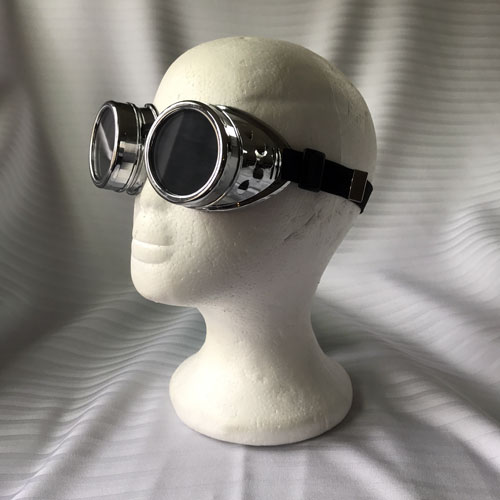
Try taking them off and putting them back on.
True Dough
(27,299 posts)

Rizen
(1,121 posts)It made bing my browser. Probably after an update.

Kick in to the DU tip jar?
This week we're running a special pop-up mini fund drive. From Monday through Friday we're going ad-free for all registered members, and we're asking you to kick in to the DU tip jar to support the site and keep us financially healthy.
As a bonus, making a contribution will allow you to leave kudos for another DU member, and at the end of the week we'll recognize the DUers who you think make this community great.